Choosing an AC DC Power Adapter in 2026 is not simply a matter of matching voltage and plugging it in. The right adapter must fit the device, operating environment, and safety expectations. A compact 12-volt adapter may look suitable, yet its connector polarity, current capacity, or heat performance can still cause trouble.
Dr. Christophe Basso, a respected power-electronics educator, expresses the principle clearly: “A power supply is part of the system, not merely a source of voltage.” That distinction matters. A reliable adapter should provide stable output under changing loads, low electrical noise, adequate thermal headroom, and verified protection against overcurrent and overheating. Look beyond attractive efficiency claims. Check the input range, output tolerance, connector dimensions, polarity symbol, and applicable certification marks. Small details count.
Real-world testing also matters. Place the adapter beside the device and inspect the cable length, airflow, and surface temperature after several hours. Listen for buzzing. Watch for intermittent charging. These signs are easy to dismiss, but they often reveal poor design or an unsuitable match. Brand reputation helps, although it is not proof by itself. Product documentation, traceable specifications, warranty terms, and independent test results offer stronger evidence.
There is no perfect adapter.
Even careful buyers can overlook a connector measurement or a brief startup surge. This guide examines those weak points, compares modern adapter technologies, and explains how to make a safer, more dependable choice in 2026. The goal is practical confidence, not impressive jargon.
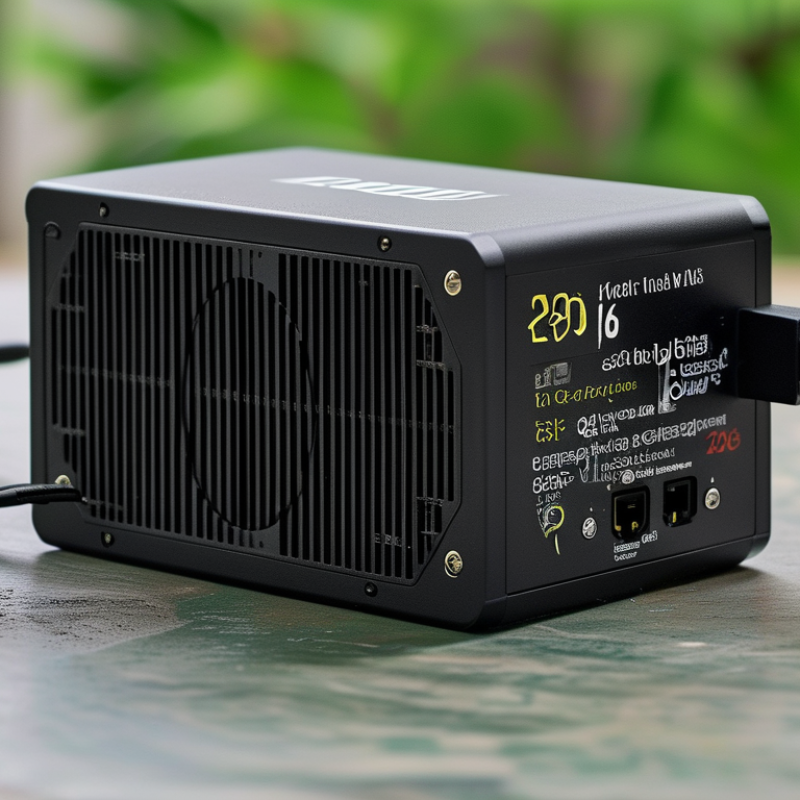
How to Choose an AC DC Power Adapter in 2026?
Understanding AC DC Power Adapter Types and Their Applications
Choosing an AC DC power adapter starts with the device, not the plug. Check its required voltage, current, polarity, and connector size. A 12-volt device may fail with a 15-volt adapter. It can also overheat when the current rating is too low. Read the equipment label carefully. Small details matter.
Wall adapters suit routers, monitors, speakers, and compact household equipment. Desktop adapters provide higher power and better cooling for displays, industrial controls, and office devices. USB-C power adapters are increasingly useful for laptops, tablets, and test equipment. They negotiate power levels digitally, but compatibility is not automatic. The cable must support the required current.
Linear adapters produce low electrical noise, making them useful for sensitive audio circuits and measurement instruments. Switching adapters are lighter, cooler, and more efficient for everyday electronics. Enclosed models fit installed equipment, while open-frame units require proper housing and ventilation. Never leave exposed terminals accessible.
Look for recognized electrical safety testing, over-current protection, short-circuit protection, and clear input ratings. In practical checks, I measure output voltage under load rather than trusting an empty-load reading. That extra test often reveals unstable adapters. I once selected a connector by appearance alone. It fitted loosely. That mistake was avoidable. Check dimensions with a gauge, and leave airflow around warm adapters.
| Adapter Type | Typical Output | Typical Power Range | Key Characteristics | Common Applications | Advantages | Selection Considerations |
|---|---|---|---|---|---|---|
| Linear Regulated Adapter | Fixed DC voltage, commonly 5 V, 9 V, 12 V, or 15 V | Approximately 1–50 W | Uses a mains-frequency transformer, rectifier, filter, and linear regulator; usually produces very low electrical noise. | Audio equipment, measurement instruments, laboratory electronics, and noise-sensitive analog circuits. | Low ripple and low electromagnetic interference; simple regulation behavior. | Lower efficiency, greater weight, and more heat than a comparable switching adapter. |
| Unregulated Transformer Adapter | Nominal DC voltage; actual voltage varies with load and input conditions | Approximately 1–30 W | Provides rectified and filtered DC without active voltage regulation; no-load voltage can be significantly above the label rating. | Legacy consumer electronics, simple motors, relays, and circuits designed for variable input voltage. | Simple design, low switching noise, and easy servicing. | Use only when the equipment explicitly permits voltage variation; check no-load voltage and polarity. |
| Regulated Switching Adapter | Common fixed outputs from 5 V to 48 V DC | Approximately 5–300 W for external desktop or wall adapters | High-frequency switching circuitry regulates the output across a broad input range, often 100–240 V AC. | Routers, monitors, printers, industrial controllers, LED systems, and general electronic equipment. | Compact, lightweight, efficient, and available in many voltage and current ratings. | Verify output ripple, electromagnetic compatibility, cooling requirements, connector size, polarity, and safety certification. |
| USB 5 V Power Adapter | 5 V DC through USB-A or USB-C | Typically 5–15 W for basic USB power | Provides a standardized low-voltage output; current capability depends on the adapter and charging protocol. | Small electronics, sensors, development boards, basic accessories, and low-power charging. | Widely compatible, easy to replace, and convenient for low-power devices. | Confirm the required current, cable rating, connector type, and whether the device needs a negotiated charging mode. |
| USB-C Power Delivery Adapter | Negotiated outputs commonly include 5 V, 9 V, 15 V, and 20 V; newer systems may support higher voltages under the applicable specification. | Commonly 18–240 W, depending on the power profile and equipment | The source and device communicate to select a supported voltage and current; fixed-voltage fallback is available if negotiation does not occur. | Phones, tablets, cameras, portable displays, development equipment, and many notebook computers. | One adapter can support multiple devices; efficient and convenient for travel and shared workspaces. | Match the adapter power rating, USB-C cable capability, supported PD profiles, thermal limits, and device requirements. |
| Multi-Output Adapter | Several fixed DC outputs or multiple USB outputs | Approximately 30–300 W total | Designed to power several devices at once; total output is shared or divided according to the adapter design. | Workstations, test benches, network equipment, charging stations, and small production systems. | Reduces cable clutter and the number of wall outlets required. | Check per-port limits, total wattage, cross-regulation, connector compatibility, and heat buildup under full load. |
| Industrial DIN-Rail AC DC Supply | Commonly 12 V, 24 V, or 48 V DC | Approximately 15–1,000 W | Enclosed or semi-enclosed unit designed for cabinet mounting, with screw terminals and protection features. | Programmable controllers, sensors, automation panels, security systems, and control cabinets. | Compact panel installation, reliable terminal connections, and options for high ambient temperatures. | Check mounting space, ambient temperature derating, overload behavior, inrush current, and required protection class. |
| PoE Power Sourcing Equipment | DC power delivered over Ethernet cabling, with negotiated power classes | From roughly 13 W available at the powered device to more than 70 W in newer high-power systems | Combines data networking and DC power over twisted-pair Ethernet; requires compatible standards and cabling. | Wireless access points, IP cameras, VoIP phones, access-control devices, and networked sensors. | One cable can provide both network connectivity and power. | Confirm the PoE standard, port power budget, cable category, distance, and compatibility with the powered device. |
| Medical-Grade External Adapter | Application-specific regulated DC voltage | Approximately 20–300 W, depending on the equipment | Designed for medical electrical equipment with controlled leakage current, insulation, grounding, and electromagnetic compatibility requirements. | Patient-monitoring equipment, diagnostic devices, therapy equipment, and medical information systems. | Supports safety requirements for specified medical environments when correctly approved and integrated. | Never substitute a general-purpose adapter; verify the applicable medical standard, isolation class, leakage limits, and system certification. |
C DC adapter to my device?
Confirm whether the center pin is positive or negative. Similar barrel plugs can still differ in size. A loose plug may cause heat, flickering, or restarts. Measure it when uncertain.
No. The device, adapter, and cable must support matching power levels. Digital power negotiation helps, but it cannot fix an unsuitable cable. Compatibility is not automatic.
Wall adapters suit routers, speakers, and compact equipment. Desktop adapters provide more power and cooling. They often fit monitors, controls, and office devices better.
Linear adapters usually produce less electrical noise. They suit sensitive audio and measurement circuits. Switching adapters are lighter and more efficient for everyday electronics. Neither type fits every situation.
Look for over-current, short-circuit, overvoltage, and overheating protection. Check clear input ratings and recognized safety testing. Enclosed models are safer for installed equipment. Open-frame units need housing and ventilation.
Read the label and inspect the connector. Measure unloaded voltage, then test output under load. An empty-load reading can be misleading. This method is useful, but not perfect.
Check the adapter after two hours of normal use. Warmth may be normal; uncomfortable heat is concerning. Buzzing, odor, flickering, or repeated restarts deserve immediate attention. Leave airflow around it.
No. Efficiency can reduce standby waste and heat. Compact designs may concentrate heat inside a small case. Cable strain relief, connector quality, and ventilation also affect service life. Smaller is not always better.
Choosing the right Ac Dc Power Adapter in 2026 begins with understanding the difference between fixed-voltage, interchangeable-tip, USB-based, desktop, and compact wall-mounted designs, along with their typical applications. Before making a selection, carefully check the device’s required output voltage, current, polarity, connector size, and input range. The adapter should match these specifications precisely to support reliable operation and prevent overheating or electrical damage.
Beyond basic compatibility, compare efficiency ratings, safety certifications, thermal protection, short-circuit safeguards, physical size, cable quality, and durability. A suitable adapter should deliver stable power without unnecessary energy loss while fitting the intended environment and usage pattern. It is also important to review current 2026 requirements, such as updated efficiency expectations, improved power-management features, replaceable connectors where appropriate, and broader compatibility with modern electronic equipment. Considering these factors together helps ensure safe performance, easier installation, and better long-term value.

 Tech Adapter